


Compaction can make completed work invisible to the model. This explains what gets dropped, why auto-compaction is risky, and how to keep long sessions coherent.
TL;DR
Compaction preserves your messages, but drops assistant turns and tool transcripts. After compaction, Codex can’t see what it said, what tools it ran, or what it verified.
The model may redo work it already completed because, from its perspective, that work never happened.
Auto-compaction runs after a turn when total token usage crosses the configured token limit. That can happen at an undesirable time.
Store progress context in files, not in conversation. After any compaction event, verify the model knows what has already been done before continuing.
Your messages usually survive, but there’s a per-message budget. Very long prompts can get truncated (often the middle).
Context / Problem
Last month I was in the middle of a payment migration. Nothing exotic: webhook handlers, subscription state, tests, the usual.
We’d just finished a chunk of work. Files updated. Tests green. I told Codex to move on to the next phase.
A small notice appeared in the terminal: “compact completed.”
Codex started redoing the work we had just finished. It rewrote handlers that already existed, created a second version of a module under a slightly different name, and broke tests that had been green minutes earlier.
I scrolled up. The full conversation was right there: my instructions, its proposals, the diffs, the test output, its confirmation that everything worked. But when I asked Codex what happened, it had no memory of any of it. As far as it knew, it was starting the migration fresh.
I call this context amnesia. The name is slightly misleading. Codex didn’t forget my instructions. It forgot its own work. My messages survived. Its confirmations, tool outputs, and the record of what it actually did were discarded.
It s not human-style forgetting. After compaction, the agent loses its own receipts.
The terminal history showed the full conversation. The model sees something different: a summary and your recent messages, but none of its own responses.
What you’ll get from this:
What compaction actually discards (and what it keeps).
Why the model redoes work instead of forgetting instructions.
How auto-compaction timing creates dangerous gaps.
A workflow that makes completed work visible after compaction.
The core mismatch: you have history, the model has a bridge

This is not “forgetting” in the human sense. You and the model are continuing from different inputs.
You can scroll through the full history. The model can’t. After compaction, it continues from a rebuilt history that may not include what you’re seeing.
Once you internalize that mismatch, the rest of the behavior stops being mysterious.
It also explains the common complaint: “it got worse after /compact.” The model lost the receipts for what actually happened.
At the time of writing, most of what compaction keeps is out of your control. The reliable fix is workflow: make completion visible in files, and verify state after any compaction.
Why this is hard to fix cleanly
It’s tempting to treat compaction as a simple bug: “keep more context” or “write a better summary.”
In practice, it’s a trade-off that doesn’t go away:
The model has limits. Even with large context windows, there is always a limit. Something has to be dropped.
Tool transcripts are huge and noisy. Keeping raw outputs verbatim makes sessions expensive and harder to fit. That’s why summaries exist.
The important detail is often obvious only in hindsight. A summary can’t reliably predict which line of output will matter two hours later.
Humans trust the terminal history, agents trust the prompt. If those differ, you lose sync with what the agent believes.
So compaction isn’t just “memory loss.” It’s a context mismatch: what you see is not what the agent continues from.
This also isn’t a Codex-only problem. Any tool that “summarizes and continues” is building a bridge between two contexts. The failure mode is always the same: the bridge drops the receipt you needed later.
How other tools handle it
Most coding agents end up in the same place: they need some way to keep conversations going past a context window.
The difference is rarely “Model A is smarter.” It’s usually two design choices:
How visible the boundary is. Do you notice a rewrite happened, and can you tell what survived?
Where durable state lives. Does the workflow push you to store progress and constraints outside the chat?
If a tool feels better, it’s often because it makes compaction more explicit or it nudges you toward durable state. If it feels worse, it’s usually because the rewrite is silent and you only notice after the agent starts going off the rails.
Mental model: What survives and what does not

When compaction runs, Codex rebuilds the conversation from scratch. The rebuilt history contains:
Base instructions. System prompts, AGENTS.md content, environment context. These are regenerated fresh.
User messages. In the local CLI compaction path, Codex keeps up to 20,000 tokens of user messages. Very long prompts can be cut off in the middle.
A summary message. A model-generated summary of what happened, inserted as a user-role message.
Everything else is discarded:
All assistant messages (what Codex said)
All tool calls (commands it ran)
All tool outputs (results it received)
All reasoning traces
The model’s entire contribution to the conversation is gone. The only record of its work is whatever the summary happened to capture.
Why the model redoes work
Consider what this means for a typical exchange:
Before compaction
You: “Migrate the webhook handlers”
Codex: “I’ll update stripe-webhooks.ts...”
Codex runs tools:
Writes stripe-webhooks.ts
Runs tests (47 pass)
Codex: “Migration complete. Tests passing.”
You: “Commit and start on invoices”
After compaction
The model can still see your messages (”migrate...” and “commit and start...”).
It cannot see:
What it said
What tools it ran
Test output
It only sees whatever the summary captured.
After compaction, the model sees your request to migrate, your request to continue, and a summary. If the summary says “migrated webhook handlers, tests passing,” it proceeds. If it says “discussed migration approach,” it has no way to know the work is done.
Your instructions are preserved. The evidence that those instructions were executed is not.
The summary is a compression function
Compaction runs a built-in prompt (or your override) and takes the resulting output as the handoff summary. The default prompt is generic:
Create a handoff summary for another LLM that will resume the task. Include current progress and key decisions made, important context or constraints, what remains to be done, and any critical data needed to continue.
This works reasonably well for simple sessions. For complex, multi-step work, the summary often compresses completed tasks into vague statements, drops constraints that seemed minor at the time, or fails to capture the specific state of the codebase.
In practice, compaction injects a handoff summary and expects the next model to continue from it. If the summary is vague, completed work becomes invisible.
Auto-compaction timing

Auto-compaction triggers after a turn when total token usage exceeds model_auto_compact_token_limit.
The hard part is that it’s opaque. You get a short notice, but you don’t get to preview what the next turn will actually know.
That’s why it can feel like the model suddenly changed personality. You and the model are now continuing from different context.
Don’t overfit to the exact “context left” number. Treat it as a rough signal. What matters is whether you’re at a safe boundary and can restart from durable state.
Compaction usually fires after a long turn, not mid-turn. The timing still matters.
If it fires right after a big implementation, the summary can capture “feature A done.”
If it fires right after you queue the next request (“now do feature B”), the summary can capture “user requested feature B.”
It may still be vague about whether feature A is already complete.
User message truncation
User messages are preserved with a budget. In the local CLI compaction path, that budget is 20,000 tokens. When you exceed it, a long prompt may be truncated.
Constraints buried in the middle of a long prompt can disappear. The more common failure mode, though, is losing the assistant’s proof that the work was executed.
Solution: Making completed work visible
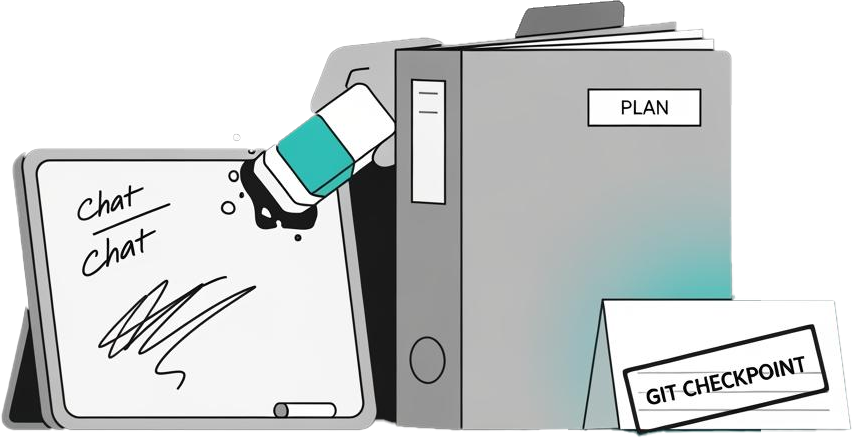
The goal is to ensure the model knows what has been done, regardless of whether compaction has run.
In my day-to-day workflow, I treat compaction as a normal risk. I keep a checked plan file, I compact after a checkpoint, and I start a new session when I switch phases.
1. Record progress in files, not in conversation
Conversation history compacts. Files do not.
For multi-step work, maintain a plan file that the model updates as it completes tasks:
# plans/stripe-migration.md

## Webhook handlers
- [x] Migrate to billing meter API (src/stripe-webhooks.ts)
- [x] Update payload parsing for new schema
- [x] Update subscription logic (src/billing/subscriptions.ts)
- [x] Tests passing (47/47)

## Invoice reconciliation
- [ ] Add meter usage aggregation
- [ ] Wire up invoice.created webhook
- [ ] Add reconciliation tests
Instruct Codex to update this file when it completes work:
Read plans/stripe-migration.md. This is the source of truth. When you complete a task, check it off in the file before reporting completion. Never redo a checked item without explicit instruction.
After compaction, the model can re-read the file and see exactly what has been done.
2. Compact at safe boundaries
Auto-compaction fires based on token count, not task completion. For important work, take control of the timing.
Run /compact manually when:
After completing a logical unit of work (a feature, a migration phase, a refactor).
After tests pass and changes are committed.
Before starting anything expensive or hard to undo.
Before compacting, ask the model to update the plan file. That way the summary has a clean snapshot and the repo has durable state.
If you’re finishing a major task, my default is even simpler: end the session.
Start a new session with a manual handoff prompt. It costs a minute and saves you an hour of untangling.
This is the part people underestimate: a manual handoff isn’t just “better context.” It’s visibility. You can read the handoff prompt and know what the next session will know.
2.1 Write a receipt for “done”
Compaction discards the agent’s confirmations. If you want a step to survive, write your own receipt.
In practice that means:
Check the item off in your plan file.
Write a one-line receipt in the task file (”Phase 1 complete. Tests green.”).
Commit or checkpoint the repo when it matters.
It’s simple and it works.
2.2 When to compact (and when not to)
The rule I use is simple:
Only compact when a fresh session could restart from durable state.
Durable state means Codex can infer context from files.
A plan/task file.
Repo reality (what’s checked in or in your working tree).
A clear signal for “done” (tests, a curl check, a migration output you wrote down).
Compact when:
You’re at the end of a phase and the plan file is up to date.
The state is easy to verify from the repo (tests, typecheck, CI, a single script run).
You want to intentionally switch context (new phase, new subsystem, new risk profile).
Avoid compacting when:
You are mid-investigation and the important facts only exist in terminal history.
You just ran an expensive or risky command and the only record is the tool output.
You haven’t written down the decision that makes the next step safe (”do not touch X”, “this backfill is complete”, “this is the exact flag we used”).
3. Optional: Local compaction (non-OpenAI providers)
Codex CLI decides where compaction happens based on your provider.
If you use the OpenAI provider, compaction is handled upstream. The local compact prompt is not used.
If you use a non-OpenAI provider, Codex runs compaction locally. In that case, experimental_compact_prompt_file can influence the handoff summary.
4. Commit early, commit often
Git commits create durable checkpoints that the model can verify.
After completing a feature, commit the changes before moving on. If compaction causes confusion, the model can check git status and git log to see what actually happened:
Run git log --oneline -5 and git status to see what has been completed.
The commit history survives compaction. The conversation history does not.
5. Keep critical instructions near the end of prompts
User messages are preserved with recent content prioritized. If you have a long prompt, keep critical constraints near the end, not buried in the middle.
Better yet, keep prompts short and put detailed specifications in files. Reference the file and quote only the immediately relevant section.
Failure modes & mitigations
Repeated work. The model reimplements a feature it already built because the summary did not record completion.
Mitigation: Record completed tasks in files. Have the model check the file before starting any work.
Conflicting implementations. The model creates a second version of something that exists, leading to duplicate code or broken imports.
Mitigation: Ask the model to check for existing implementations before creating new files. Use the plan file to track which files belong to which feature.
Lost test state. The model re-runs tests it already ran, or assumes tests failed when they passed, because tool outputs are discarded.
Mitigation: Record test results in the plan file. After compaction, have the model re-run tests to verify current state rather than relying on memory.
Summary drift. Multiple compactions in a long session compound the problem. Each summary is based on the previous summary plus recent messages, not on the original conversation.
Mitigation: Keep sessions focused. Start new sessions for new tasks rather than running one session for hours.
Undo confusion. Ghost snapshots let you roll back the UI, but the model continues from its compacted history. Rolling back does not restore the model’s memory.
Mitigation: After using undo, explicitly restate the current state and what work has been done.
Parallel sessions collide on diffs. Even if two agents touch different files, they still share the same working tree. Codex tries to converge to a diff that solves its current task. If another session changed the tree “out of scope,” you can see rollbacks or confusing overwrites.
Mitigation: Use separate working copies (for example via git worktree) when running agents in parallel. Treat each session like a developer with its own branch.
Noisy outputs trigger early compaction. Reading huge files and pasting long logs burns context quickly. You hit compaction sooner, and the summary has more chances to drop a critical detail.
Mitigation: Prefer targeted search over dumping whole files. Avoid pasting entire test logs. If a file is large, ask the agent to rg for specific patterns and open only the relevant sections.
Variants
Team workflows. Standardize a rule: every significant task gets recorded in a plan file before it is considered done. The plan file is the source of truth, not the conversation.
CI and scripted runs. When driving Codex from scripts, log the summary after every compaction event. If the model starts redoing work, the logs show what the summary contained and where it diverged from reality.
Long-running refactors. For refactors that span many files, maintain a tracking file that lists completed files. The model checks this file before touching any file.
Further reading
Codex discussion: compaction behavior and pitfalls: Community discussion that surfaced many of these issues.
openai/codex on GitHub: Repository and documentation for the CLI.
Managing tokens: Background on context windows and token limits.
Compaction discards everything the model said and did. Your messages survive. Its work does not.
If you record completed work in files, compact at task boundaries, and verify state after compaction, long sessions stay coherent.
If this kind of workflow detail is useful, subscribe to keep getting practitioner notes on using agents safely in real codebases.